The Compound Effect
Small actions accumulate.
A quiet place for daily practice
Choose what matters. Show up. See the pattern that grows from the things you do each day.
One to five practices. One day at a time.
Make room for what matters.
What this is
Streaker is a daily discipline ledger. It gives your intentions a simple structure and keeps an honest record of what you actually practice.
From intention to action
Start with something that matters to you. Choose one to five practices, with AI to help you draft them.
Mark what happened. A small daily check-in gives your intention a visible place in your life.
Return to your record. Notice repetition, pauses, and the shape of your practice over time.
A guided first visit
A narrated mobile walkthrough: create a panel, record your days, add notes, and bring your practice onto a screen.
2 min 40 sec | Mobile demonstration with example data and a real display setup. Includes captions and AI narration.
Welcome to Streaker. This mobile walkthrough uses an example panel to show you how to turn an intention into a daily record.
Sign in, then tap New panel. Write your intention and choose one to five practices. Tap Draft practices for AI suggestions, or enter your own. Review the draft, then tap Save panel.
Each column is a practice. Tap a day once for a tick: done. Tap again for a cross: missed. Tap once more to leave it unreviewed. Pause between taps so they register separately.
To add a note, press and hold a marked cell for two seconds. Write what you want to remember, then tap Done. Hold that cell again whenever you want to edit the note.
Tap a column heading to edit it. Change the Activity name and its Value, such as ten minutes. Close the dialog when you finish. Changes to saved panels save automatically. New drafts need Save panel.
Open the menu and choose Dashboard. See completed, missed, and unreviewed days, alongside your streaks and trends. Expand Notes under a practice to read the context behind your record.
In the menu, open Profile and settings. Your display link shows your main panel. Use Copy link, or Open display to preview it. Choose which saved panel appears on the display from the Panels section.
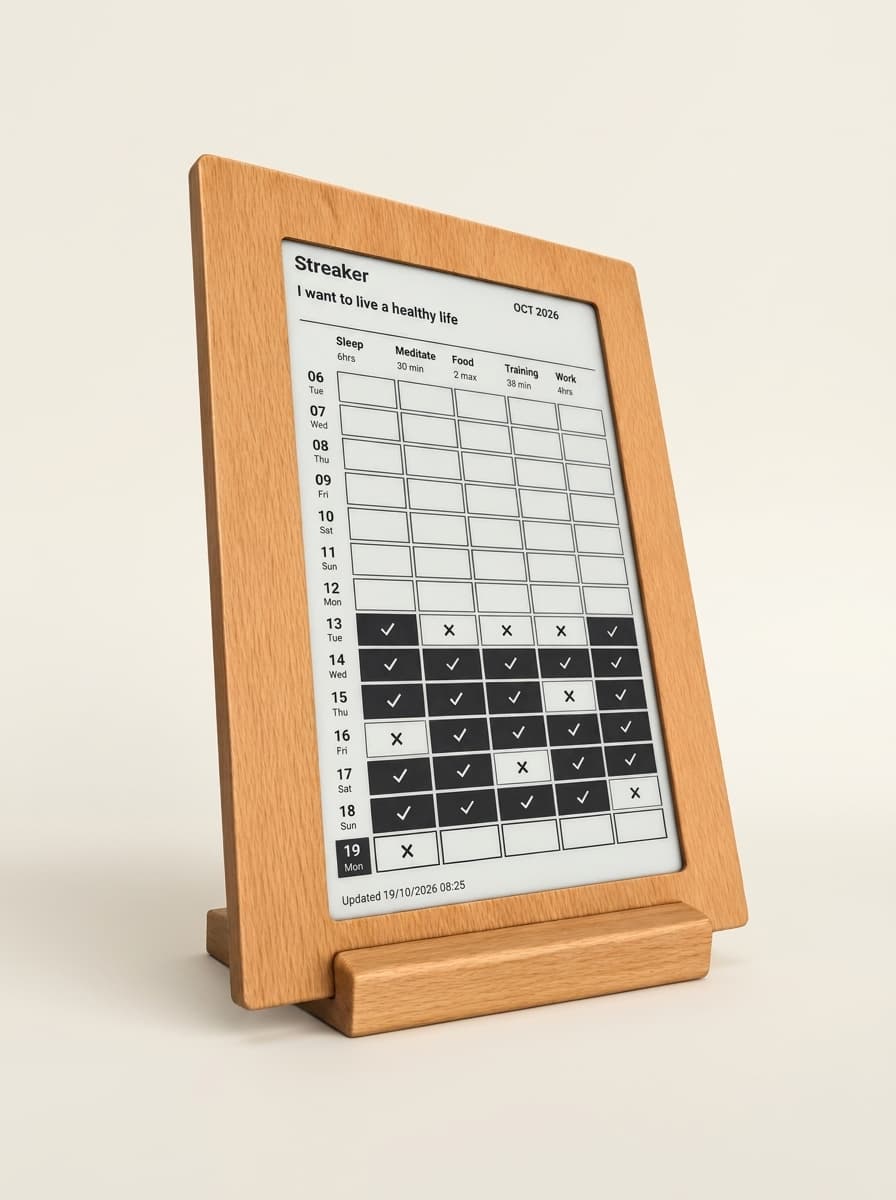
Open the link on a tablet, computer, or a screen that supports a web browser or image URL. It is an image, so refresh the screen to see new changes, or configure automatic refresh on your device. Anyone with the link can view it.
If the image needs updating, use Update display in your profile. Then return to your ledger. Record the day, add a note when it helps, and let your practice take shape over time.
Your practice, in view
Keep your record nearby on a compatible display. A wooden e-paper frame is one way to give your daily practice a place beyond your phone.
Find it in Profile & settings. The image shows your main panel.
Use a device that supports a web browser or an image URL.
Refresh to see new marks, or set up automatic refresh on your device.
Anyone with your display link can view its image.
The method
Small actions, repeated over time. A streak is the trace they leave.
Days and practices line up in a quiet grid, making patterns easier to see.
Record both presence and absence. The ledger holds the facts without judgment.
Sources of method
Three works that inform the approach to repetition and continuity.
Small actions accumulate.
Give repetition a structure.
Make follow-through sustainable.
Begin with today